Diagnosis before treatment
Noise floor too high? Name the animal first
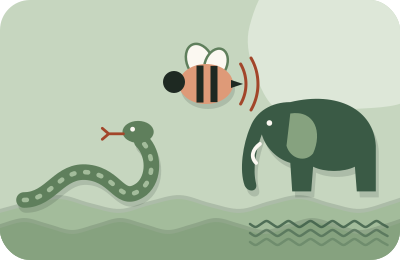
A failing noise floor is almost always one of three animals — hiss, hum, or rumble — and each has different favorite sources and a different cheapest fix. Ten minutes of listening and one spectrum view will usually name yours. Fix the named source and the floor drops for free; skip diagnosis and you'll pay in software artifacts for what a switch or a setting would have solved.
Prerequisite: a real measurement. If you haven't measured your floor yet, do that first — this page assumes you have a number, a recording of your silence, and a gap to close against the −60 dB RMS line.
The listening test
Play your 20 seconds of recorded silence at generous volume, headphones on, and sort what you hear into the three families. Hiss is smooth, airy, tape-like — constant high-frequency texture. Hum is pitched — a note you could almost sing, often with a harder-edged buzz riding on it. Rumble is low and physical — more felt than heard, often invisible on laptop speakers and obvious on headphones. Mixtures are normal; identify the loudest family first, fix it, re-measure, repeat. A spectrum view (any DAW's analyzer) confirms by geography: hiss spreads across the top, hum stands up as narrow spikes at one pitch and its multiples, rumble piles up at the far left below ~100 Hz.
Shapes only — where each family sits, low pitches on the left, high on the right. No levels are implied.
Animal one: hiss
Favorite sources, in order of likelihood: gain cranked high enough to amplify the preamp's own noise (the classic — especially quiet-mic-plus-hot-gain setups); an OS input slider boosted on top of interface gain; a genuinely noisy budget preamp working hard; and only rarely the room's own air. The diagnostic is beautiful: turn your gain down 10 dB and re-measure. If the hiss dropped by roughly the same amount, it's entering before or at the preamp and gain discipline is your fix — gain staging plus closer mic technique recovers the level without the noise. If the hiss barely moved, it's after the gain stage — check USB power quirks and cables next.
It enters before or at the preamp: gain staging plus closer mic technique.
It enters after the gain stage: check USB power quirks and cables next.
Residual hiss after staging is the one animal software genuinely loves: steady broadband texture is exactly what gentle reduction subtracts cleanly. That handoff — settings first, software for the remainder — is the chain working as designed.
Animal two: hum and buzz
Favorite sources: ground loops (mains-pitched hum that appears when specific devices share your signal path — the tell is that unplugging one particular thing kills it); electromagnetic pickup from power supplies, dimmers, or fluorescent fixtures near the mic or cable run; and failing wall-warts. Hum hunting is scientific unplugging: with your silence recording running and meters visible, disconnect suspects one at a time — laptop charger first, it's the usual villain — and watch for the drop. Moving the mic and cable away from power runs, or recording on laptop battery for critical sessions, resolves a surprising share of cases. All of this is settings-and-arrangement, not purchases.
Software note: narrow hum is removable with pitched-notch tools, but treat that as bandage rather than cure — a hum source left in place tends to wander with the household's electrical day, and yesterday's perfect notch misses today's buzz.
Animal three: rumble
Favorite sources: HVAC through the building's bones, traffic, appliances two rooms away, footsteps above, and desk-borne vibration reaching the mic through its stand. Rumble is the most fixable animal because most of it lives below your voice entirely: a high-pass filter at 70–80 Hz deletes it from the signal at zero perceptual cost, and pausing climate control for the length of a session deletes most of the rest at the source. For the vibration path, isolate the mic from the surface it stands on and don't share a desk with a working computer. If a neighbor's bass or building machinery still gets through, that's the physical world's turf — mass and decoupling beat software there, which is our single sentence on treatment — but schedule and filter first; they're free and usually enough.
The special case: the computer in the room
Half hiss (fans), half rumble (vibration through the desk), and worth its own paragraph because every home narrator lives with one. Cheapest fixes in order: more distance (every doubling buys real dB), the mic's rejection side pointed at the machine, a session workflow that doesn't spin the fans (close the browser's forty tabs, let renders finish before takes), and recording to a laptop on battery with the charger's hum-prone brick unplugged. A long USB or XLR run to get the machine out of the room entirely costs less than any acoustic product and removes the source outright.
The decision table
| You hear | Suspect first | Cheapest fix | Software's role |
|---|---|---|---|
| Smooth constant hiss | Gain too hot for the chain | Stage gain, close the mic distance | Gentle reduction on the remainder |
| Pitched hum/buzz | Ground loop, charger, dimmer | Unplug-and-test; reroute cables; battery power | Notch as a last resort |
| Low rumble | HVAC, traffic, desk vibration | Pause HVAC; isolate the stand | High-pass at 70–80 Hz — near-total |
| Whine that changes with activity | Computer fans, USB electrical noise | Distance, rejection side, battery, calm workloads | Reduction handles steady residue only |
| Everything, loudly | OS input boost stacked on gain | Zero the OS slider, re-stage gain | None until the chain is sane |
When the floor still fails
If you've named the animal, killed the source, staged gain, filtered rumble, applied polite reduction — and the floor still won't clear spec — the honest remaining moves are behavioral: record in the house's quiet window (the swing is bigger than you think), or in the softest-furnished space you have. What the moment does not call for is maximum-strength software: a floor that passes the meter by sounding underwater fails the human at the next gate. The full method, in order, is the fix order — this page is its diagnostic heart.
Diagnostic questions
- My floor is fine some days and terrible others. Which animal is that?
- A scheduled one — HVAC cycles, appliance duty cycles, neighborhood rhythm. Measure at three different hours and compare; the fix is booking sessions inside the quiet window, not more software.
- Could my mic itself be the problem?
- Possible but less common than blamed. Mic self-noise shows as hiss that survives every source-hunt above. Before shopping, borrow the gain-drop diagnostic: hiss that tracks gain isn't the mic's fault, it's the setting's.
- Is there one tool that just removes all three animals?
- Real-time suppressors come closest on calls, where aggressive is fine — that's their home turf. On masters, no: each animal has a targeted fix precisely because each is a different physical phenomenon, and one-button-everything processing spends voice quality to fake the difference.